Tips for Managing Debt Effectively

· 5 min read
Shawn Cao
Founder @ Fina Money

Repaying your debt can often feel challenging. That’s why making a plan to manage your payments and balances can help. Take a look at these tips and discover some small steps you can take today that may make managing your debt easier.

I like this quote from Wells Fargo and found it's relevant to Fina users. So here are expanded tips for managing debt effectively, along with how Fina can help you in each step.

Manage Your Merchants on Fina

· 2 min read
Shawn Cao
Founder @ Fina Money

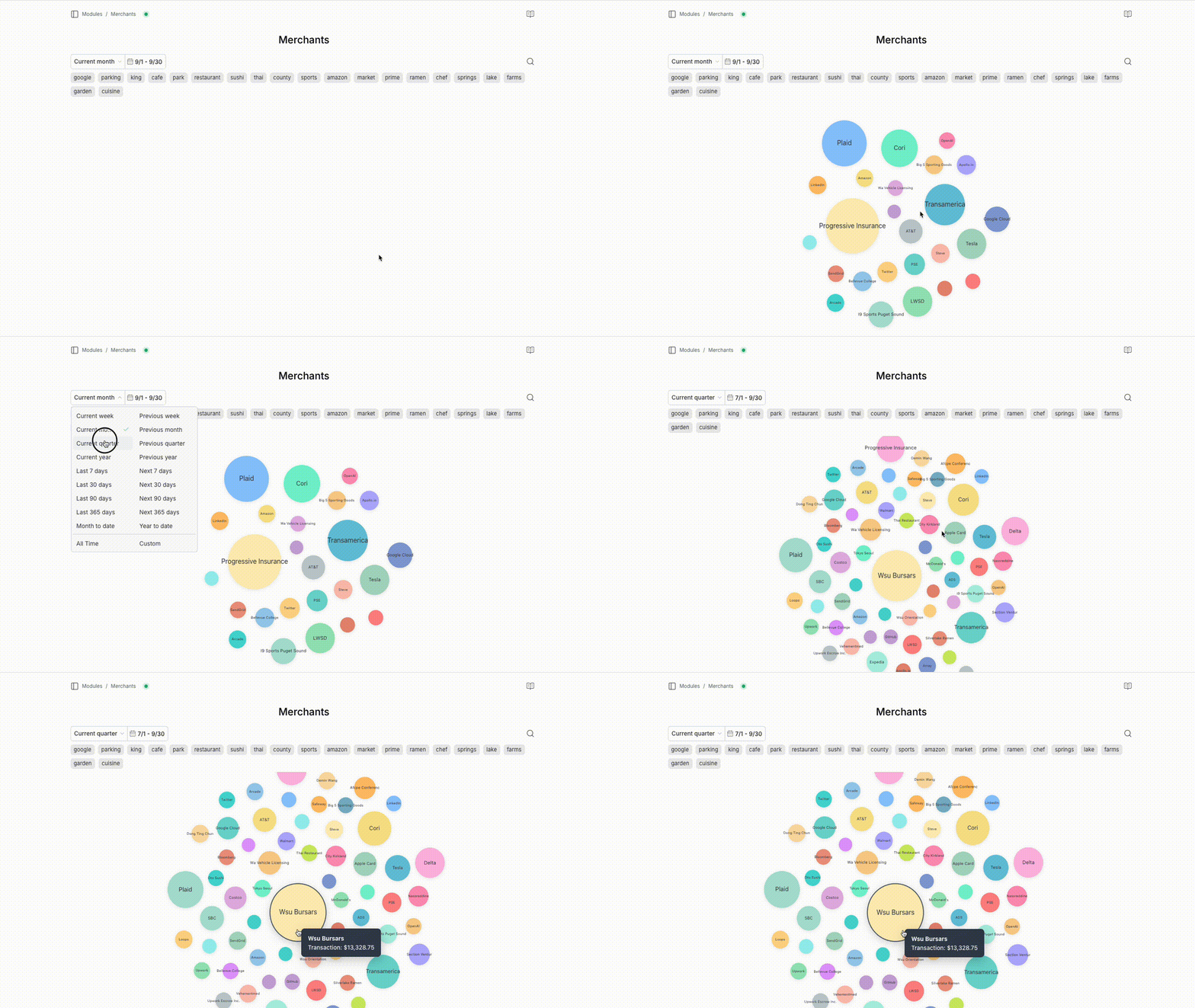
At the heart of personal finance management is one essential task: tracking your transactions.

A big part of that is understanding your spending (or earnings) by merchant—so you can answer questions like:

  • How much have I spent with a specific vendor?

  • What does that look like over time?

  • How does it break down by category?

Use Tag to Thread a Financial Story

· 4 min read
James Han
Financial Coach @ Money Mastery

Why Tags are Awesome?

Unlike categories, tags offer freedom by nature. Whenever an idea or thought comes to mind, you can instantly add a tag to capture it.

Because of their flexibility, the most effective way to use tags is to map them to specific financial stories—real-life events that you want to track closely.

My friend Shaw once told me that his parents-in-law would be visiting in a few months. He’s super excited to share his life with them, but he also wants to keep an eye on how much he’ll spend—on hotels, meals, travel, fun activities, and more.

Categories are not enough for this purpose.

Check Your Fina Profile Settings

· 2 min read
Shawn Cao
Founder @ Fina Money

Multi-Profile Feature

Multi-profile is a unique and exclusive feature of Fina. Till today, you won't find the similar power in other apps.

It allows you to setup complete different tracking system to manage different financial situations or projects easily.

For example, you can setup a profile for your personal finance, another one for your family finance, and a third one for your business finance. Each profile has its own independent tracking system, including categories and rules.

Collaborate with Partners or Clients

· 3 min read
Shawn Cao
Founder @ Fina Money

Many ways to share

Fina allows you to share your account with guests, making it easy to collaborate with partners or clients on financial management. You can share your account in several ways:

  1. Share a page: when you build a Fina page with insights, you can share it with anyone by sending them the page link. They can view the page without needing to log in to Fina if it's public accessible.

  2. Share a category snapshot: setting up categories reflects your financial tracking phylosophy. You can share a category snapshot with anyone by sending them the link. This is a great way to show your financial tracking philosophy to potential clients or partners.

  3. Share account access: if you want to give someone full access to your Fina account, you can invite them as a guest. Guests can view or edit your account, but they won't be able to change your password or delete your account.

Face Student Loans in the U.S.

· 4 min read
Shawn Cao
Founder @ Fina Money

Defacto Student Loan Debt in America

Student loans totaled $1.774 trillion in the third quarter (Q3) of 2024; this represents 9.82% of all household debt. In total, Americans owe in excess of seven (7) times more in mortgage debt than they do student loans. Mortgage debt totaled $12.594 trillion in 2024 Q3 while auto loan debt totaled $1.605 trillion.

Setting Up Categories in Fina

· 6 min read
Shawn Cao
Founder @ Fina Money

Fina Category Flexibility

When you manage your finance, what is the most important thing to think about??

Categorization!!

Indeed, categorizing our finance inflows and outflows is the first step towards finance insights — it literally answers “where did my money go?”.

Having a flexible categorization system is a must for Fina to claim itself as the most flexible finance tracking system in the world, let’s dive into the details how flexible it can be through below table of content…

Table Content

  • Category Setup: Your Tracking Philosophy
  • Sharing and Importing Category Setups
  • Using Fina Snapshots: Save, Restore, and Switch with Ease
  • Maximum Freedom to Create and Edit Categories
  • Conclusion

Multiple Profiles Concept on Fina

· 6 min read
Shawn Cao
Founder @ Fina Money

Fina is a powerful financial tracking tool that allows you to link and manage your financial accounts seamlessly. One of its standout features is the ability to create and manage multiple profiles, providing a structured way to organize different sets of financial data separately.

This post will walk you through everything you need to know about using multiple profiles in Fina.

Understanding Profiles in Fina

In Fina, a profile is essentially a container that includes:

  1. Accounts: Your linked financial accounts (bank accounts, credit cards, etc.).
  2. Transactions: All transactions associated with the linked accounts.
  3. Categories: Customizable categories for organizing transactions.
  4. Rules: Automation rules for categorizing transactions.

Each profile operates independently, allowing you to have separate settings and data for different aspects of your finances.